RFM Segment Analysis
Product Designer.
Worked with a PM and a team of 5 developers (abroad).
Process overview
on feedback
with merchants
with the dev team
Hypothesis
The marketer's goal: grow revenue from owned channels. The hurdle: knowing how. Most current approaches lean on guesswork, assumptions, and past strategies, not real data, leaving opportunity and money on the table. Our hypothesis: a simple, data-backed way to group customers could surface exactly which opportunities to chase, and which channels to chase them through.
Context
We know that merchants want to grow revenue from their owned channels, but they usually decide how based on guesswork and past strategies instead of real data, so we set out to build simple, data-backed tools that show where the opportunities are and which channels to use for them.
How might we help merchants identify their best customers, flag who's about to churn, and know exactly when and how to
re-engage them — using real purchase data?
What is RFM
An RFM model takes an analytical approach to segmentation, looking at the transactional behavior of customers to place them into predefined segments. It uses three signals to analyze the customer base:
The challenges
RFM scoring is inherently technical, most merchants
aren't data analysts.
How might we help merchants understand what an RFM segment actually means, without needing to understand the underlying statistics?
Surfacing a segment isn't the same as getting a merchant to do something about it.
How might we motivate merchants to actually act on the opportunities we surface, instead of just viewing them?
Design process
As I was taking on the design from a point where an initial concept was already created and time was of the essence, it was important that I don't scrap the design and start over, but analyse the current design, what works well and what dosent, check it with usability testing (that wasn't done at all at this point) and move on from there.
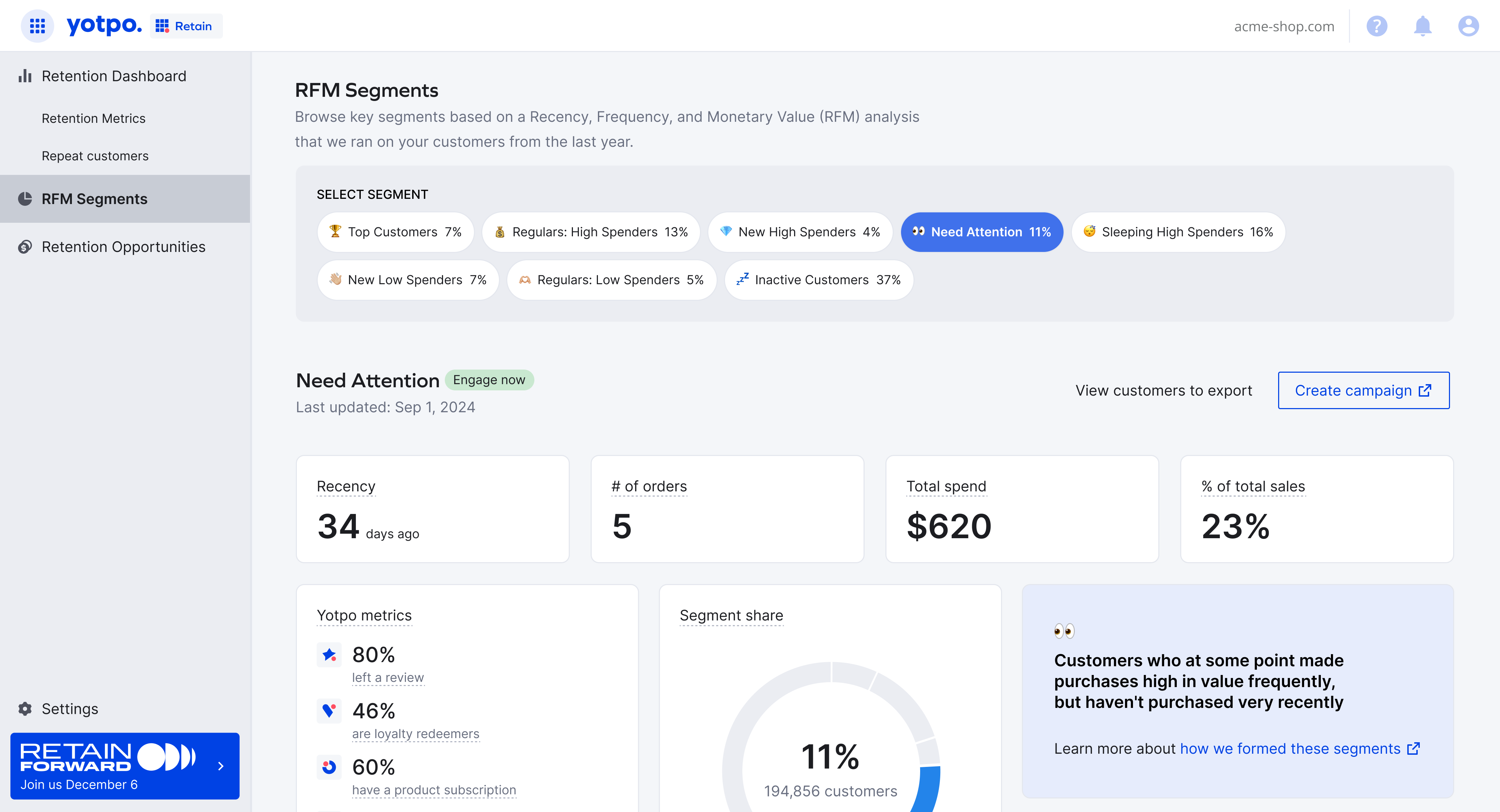
- Too much visual clutter
- Is the segment description taking too much attention?
- Are we utilizing the real estate properly?
Usability testing
We ran remote sessions on the prototype with participants from a range of industries, some with RFM knowledge and some without. The goals were to check that the page was clear, easy to scan, and understandable with or without prior knowledge, and that its actions were noticeable and easy to perform.
Final design
The page opens with a one-line introduction to RFM and a clear date range. I Organized the elements in the page in a more efficient and scalable way.
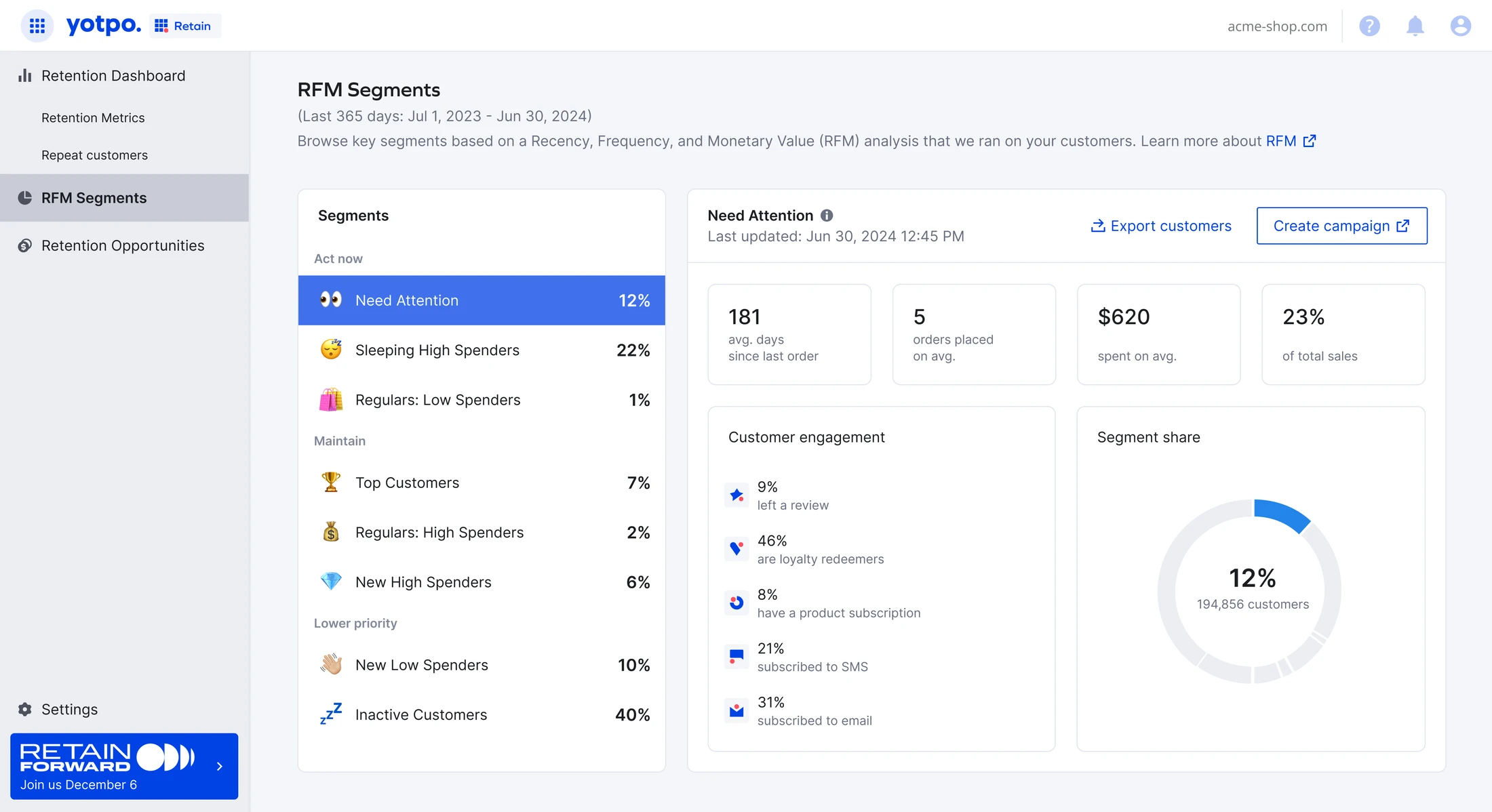
The eight segments are grouped by how urgently a merchant should act: Act now, Maintain, and Lower priority - an edition that was aimed to help users focus.
We learned from usability the card with the segment description was indeed an overkill and was a nice-to-have for most people as they figured out the naming easily. I added it as a tool tip next to the segment's name. We adjusted the copy to make sure it's clear we are talking about avg. numbers and not absolute.
Tested with users, then put in the hands of our top merchants, who started using the dashboard with their CSMs, as we kept working on phase 2.
We mainly looked for positive engagement and willingness to send out campaigns using these segments.
Phase 2 - the opportunities
The page opens with a one-line introduction to RFM and a clear date range. I Organized the elements in the page in a more efficient and scalable way.
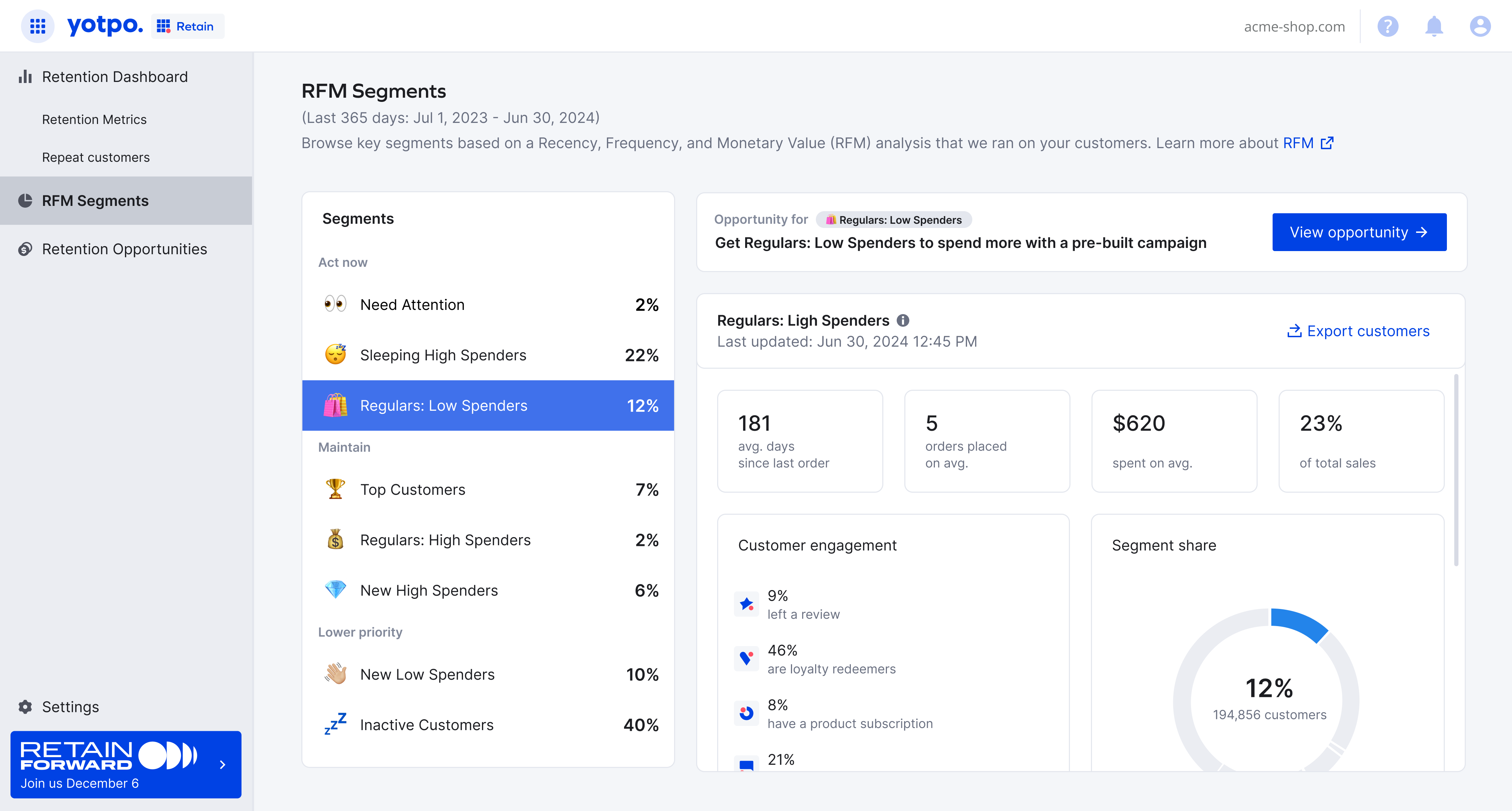
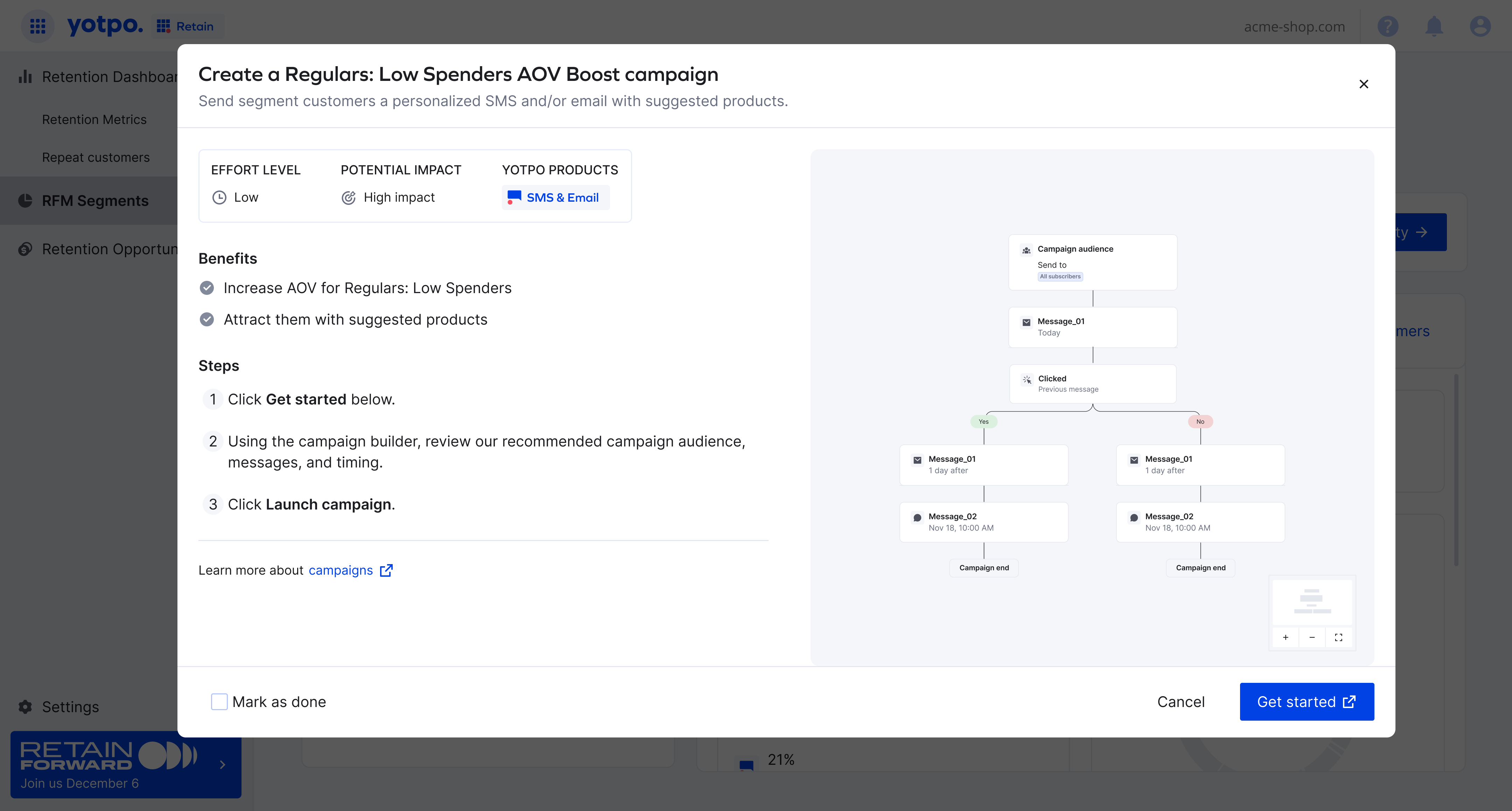
The opprtunities were presented in a large modal - focusing the user on the task at hand.
We worked a lot on the copy here as we wanted to make it very simple and clear why and how the user should 'Get started'.
I added a live example of the campaign that the user can go through before making a decition.
Key learnings